
Customer management
Customer management that remembers every buyer
Know who buys from you, what they buy and who owes you, without a separate system to maintain.
Problems it solves
Customers are just phone contacts
Their purchase history lives in someone's memory, if anywhere.
Credit customers are hard to follow
Who owes what, and since when, is unclear.
Complaints get lost
An issue raised at the counter is forgotten by the next shift.
How it works
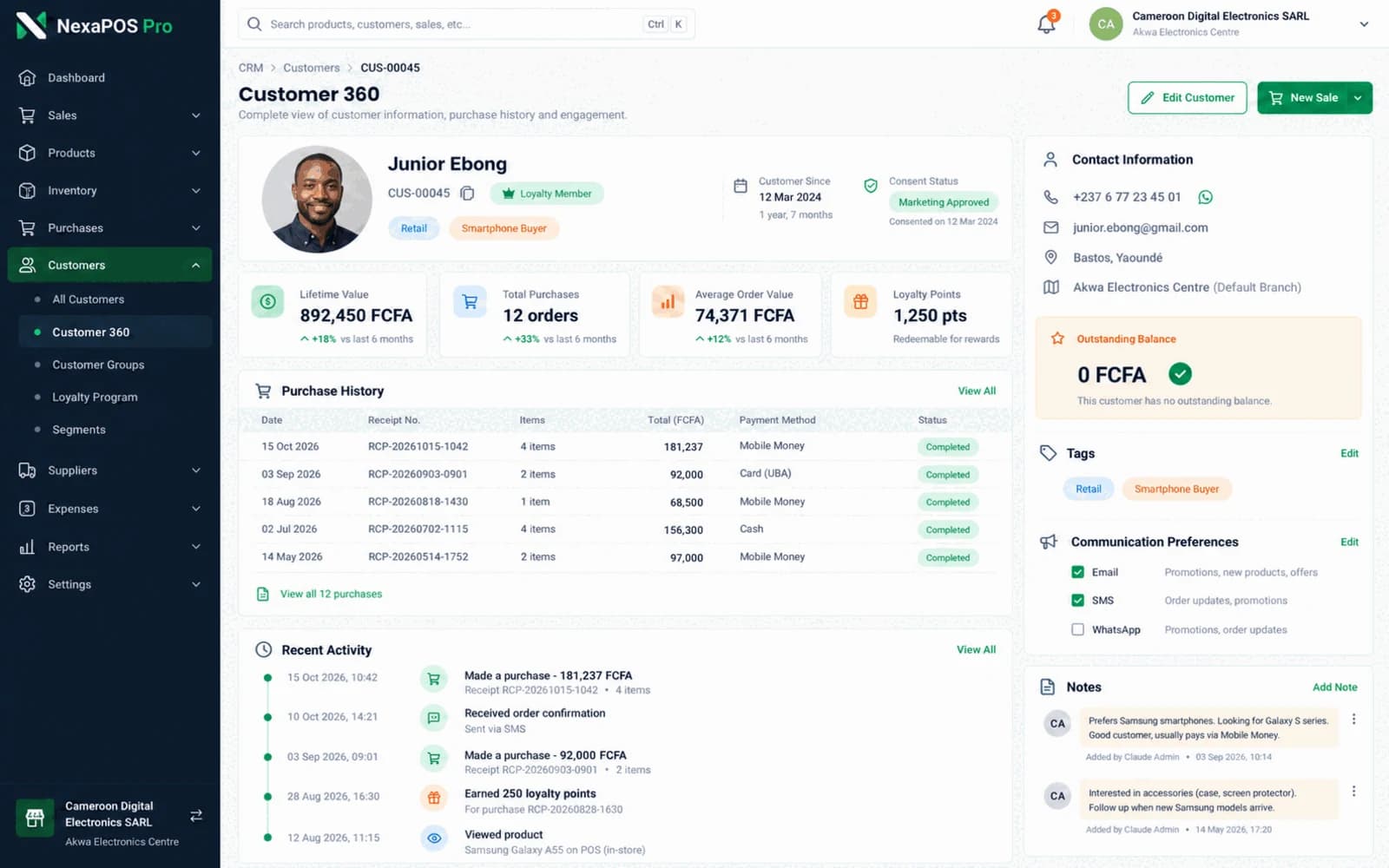
Each customer has a profile with their purchase history, which grows every time the cashier selects them at checkout.
You can group customers into segments, keep track of who buys on credit, follow up after a purchase, collect feedback and log support tickets until they are resolved. Customers can also check their own history and balances through self-service.
From first purchase to regular customer
Step 1: At checkout, the cashier creates or selects the customer's profile.
Step 2: Each purchase is added to their history.
Step 3: If they buy on credit, the amount is tracked against their profile.
Step 4: A follow-up asks how they found the purchase, and their feedback is recorded.
Step 5: Segments group them with similar customers for offers and campaigns.
What it includes
Customer profiles
Purchase history attached to each customer.
Segmentation
Group customers so offers reach the right people.
Credit tracking
See who buys on credit, with credit aging in reports.
Follow-ups and feedback
Stay in touch and hear from customers after a purchase.
Support tickets
Track customer issues until they are resolved.
Customer self-service
Customers can check their own history and balances.
Follow-up tasks
Create follow-up tasks in the CRM so no customer is forgotten.
Customer insights
Customer insights and segments, with churn and loyalty-risk insights through ML Insights, switched on per business.
Before you start
Prerequisites and limits
- Profiles only build up when cashiers select or create the customer at checkout.
- Collect and use customer contact details in line with what your customers have agreed to.
What changes for your business
For owners
- A customer list that belongs to the business
- Who owes what, and for how long
- Retention built on real purchase history
For your team
- A regular's history at hand when serving them
- One place to log an issue for the next shift
- Fewer balance questions, thanks to self-service
Common questions
Can I keep track of customers who buy on credit?
Yes. Credit is recorded against the customer's profile, and credit aging in your reports shows how long each balance has been open.
Can customers see their own balance?
Yes. Customer self-service lets customers check their own history and balances.
Where do loyalty rewards fit in?
Loyalty and rewards use the same customer profile. See the loyalty page for how earning and redeeming works.
Related features
Useful for
Further reading
Keep the customers you already have.
Book a free demo and see customer profiles, credit and follow-ups on your kind of business.