
Reporting and analytics
Business reporting and analytics for the whole shop
Make decisions from your own records, not from phone calls and guesswork.
Problems it solves
Busy is not the same as profitable
The products that sell most are not always the ones that earn most.
Expenses mixed with sales
Hard to see what the business really made this month.
Customers drift away unnoticed
By the time you notice, they have found another shop.
How it works
Every sale, delivery, shift and customer is already recorded in NexaPOS, so reports are built from the same records your team works with every day.
Review sales over time, by branch and by payment method; top products and categories; gross margin; stock and expenses; staff performance including voided sales; customer value; credit aging; and customers who look at risk of drifting away.
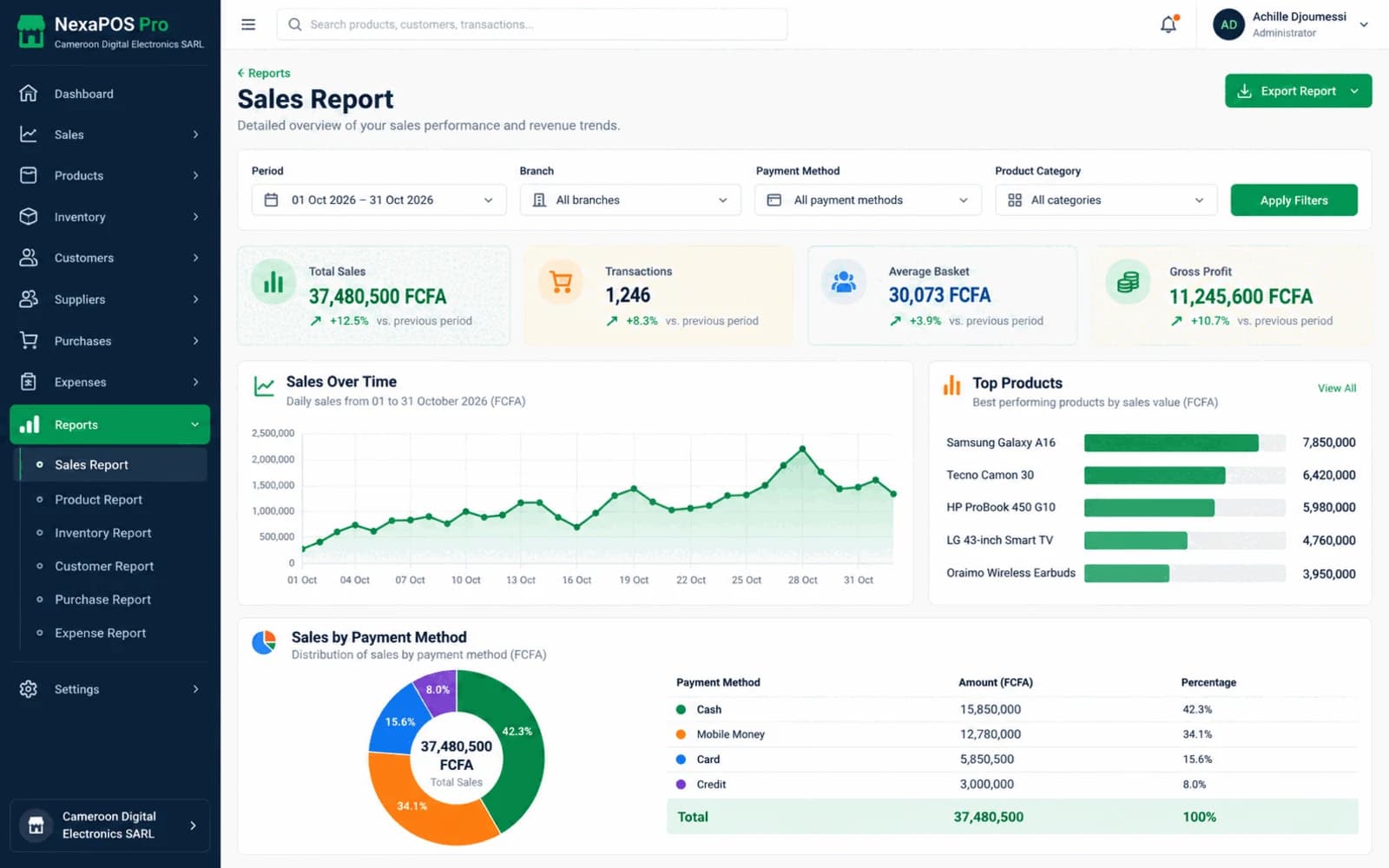
Screenshot 1 of 2: Sales report with top products
A weekly review in five steps
Step 1: Review the week's sales and how customers paid.
Step 2: Check top products and categories, and their gross margin.
Step 3: Compare stock levels and expenses.
Step 4: Look at staff performance and any voided sales.
Step 5: Check credit aging and churn-risk customers, and plan follow-ups.
What it includes
Sales and payment methods
By branch, over time and by how customers paid.
Top products and categories
See what is selling and what is not.
Gross margin
Understand margin alongside sales.
Stock and expenses
Check stock and costs without calling the branch.
Staff performance and voids
Understand what your team has been doing.
Customer value and credit aging
Who matters most, and who owes what for how long.
Churn risk
Spot customers who look like they are drifting away.
Report snapshots and schedules
Save report snapshots and schedule reports.
Operational alerts
Get alerts about what needs attention in day-to-day operations.
Before you start
Prerequisites and limits
- Reports reflect what is recorded: purchases, deliveries and expenses need to be entered for margin and expense figures to be complete.
- Gross margin depends on product costs being entered.
Included in
Starter, Growth, Multi-Branch plans. Pricing depends on your branches and terminals.
Compare plansWhat changes for your business
For owners
- Know what sells and what earns
- See who owes you and for how long
- Spot customers drifting away early
For managers
- Figures ready without compiling spreadsheets
- Evidence for fair staff reviews
Common questions
Can I see reports for each branch?
Yes. Sales and stock can be reviewed by branch, and branches compared side by side.
Can I see which customers owe money?
Yes. Credit aging shows each customer's open balance and how long it has been owed.
Related features
Useful for
Further reading
See the whole business in one place.
Book a free demo and we will walk through the reports using a business like yours.