
Staff management
Staff and cashier management with the right access for every role
Let your team do their jobs without giving everyone access to everything, and always know who did what.
Problems it solves
One shared login
When everyone uses the same account, no record says who did what.
Voids nobody can explain
A cancelled sale with no name on it is impossible to follow up.
Performance by impression
Without records, reviews come down to who seems busy.
How it works
Each team member has their own access, matched to their role: cashier, manager or administrator. Cashiers get what they need at the counter; managers and administrators get the wider view.
Every sale, void and shift is tied to the person who handled it, and staff performance reports let you compare shifts and sales across the team.
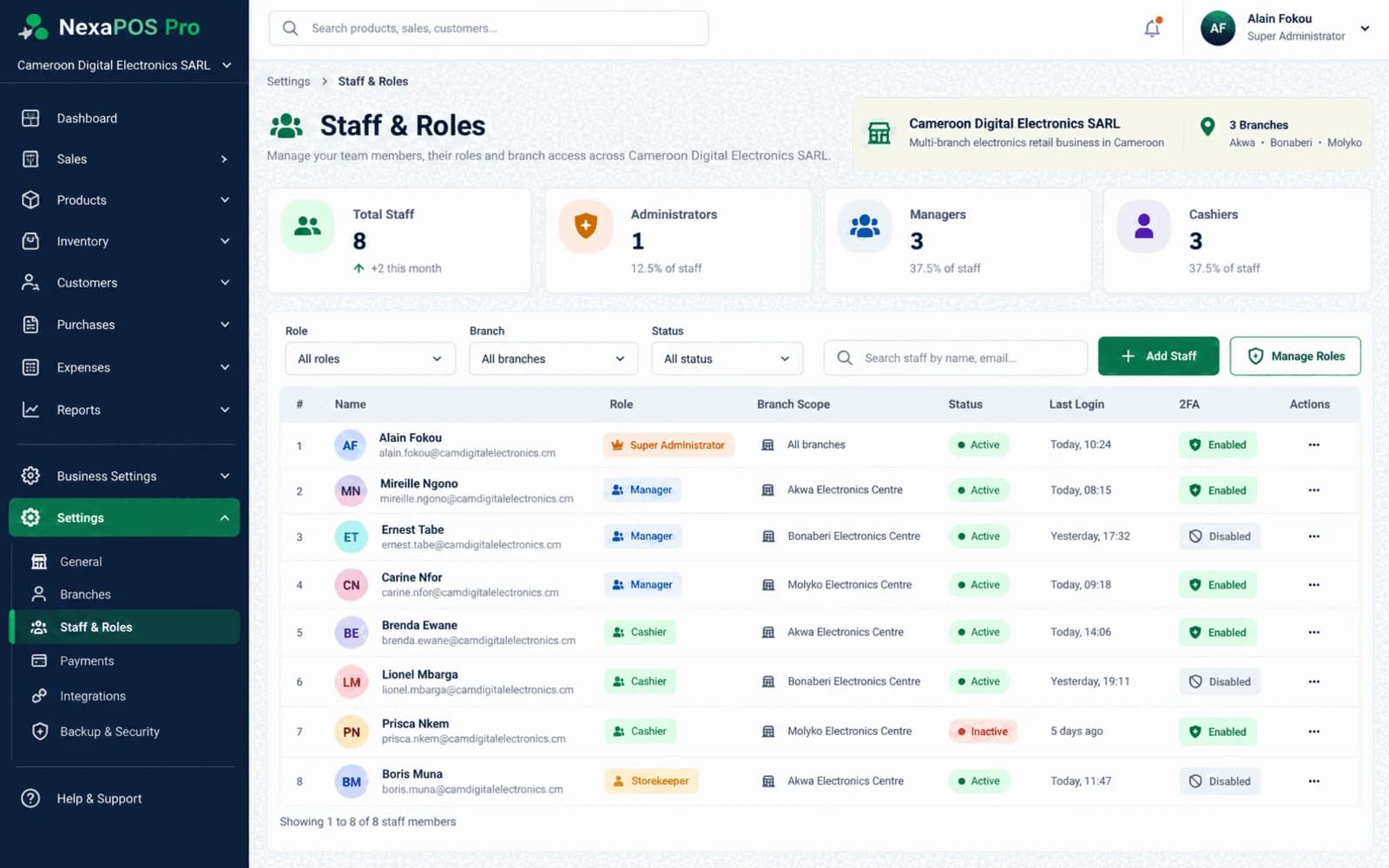
Bringing a new cashier on board
Step 1: An administrator adds the new team member.
Step 2: They are given the cashier role, with the access a cashier needs.
Step 3: They open their own shift with a recorded float.
Step 4: Their sales and any voided sales are recorded against their name.
Step 5: A manager reviews their shifts and performance in the reports.
What it includes
Role-based access
Cashier, manager and administrator access, each with the right level.
Named sales and shifts
Know which team member handled each sale and shift.
Staff performance
Compare each team member's shifts and sales.
Voided sales
See voids in the reports alongside the person who made them.
Dashboards by role
Administrators, managers and cashiers each get a dashboard for their work.
Personal sign-in
Staff choose their business, then sign in with their own email and password. Administrators can reset passwords.
Before you start
Prerequisites and limits
- Each person needs their own account. Shared logins defeat the purpose of named records.
- Someone in the business acts as administrator and decides who gets which role.
Included in
Starter, Growth, Multi-Branch plans. Pricing depends on your branches and terminals.
Compare plansWhat changes for your business
For owners
- Know who handled each sale, shift and void
- Access that matches responsibility
- Performance you can compare on records
For your team
- Clear responsibility for their own shift
- Records that show their work accurately
- Only the tools their role needs
Common questions
Which roles can I give my team?
Cashier, manager and administrator access. We will show how they fit your team in a demo.
Can I see who voided a sale?
Yes. Staff performance reporting includes voided sales, tied to the person who made them.
Related features
Further reading
Give every role the right access.
Book a free demo and we will set up example roles that match your team.